

 12 min read
A product can look polished and still be hard to use. Users may struggle to find a feature, finish a task, or move between screens. Fixing those problems takes more than good-looking designs.
When you outsource UI/UX development services, an external freelancer, agency, or dedicated designer can research your users, design and test interfaces and sometimes build the front end. Outsourcing can help when you need skills your team lacks or have a defined project to finish. Your company should still make the key product decisions.
This guide explains what to outsource, which hiring model fits, what affects cost, and how to manage delivery and choose a partner.
Looking to Outsource Your IT Projects?
Enosis Outsourcing helps technology leaders scale their teams with expert offshore engineers. Get a free consultation today.
Get a Free ConsultationWhat UI/UX Development Services Include
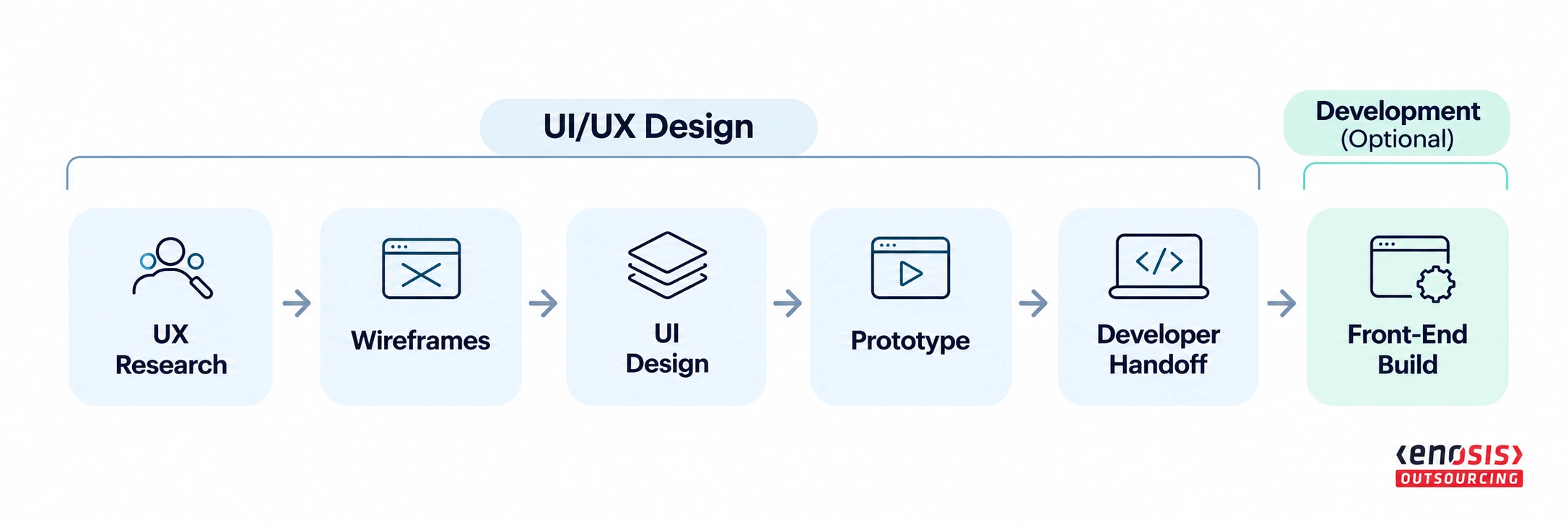
UI/UX development services cover two layers. Design takes you from research to developer-ready files. Development, which is optional, turns those files into working front-end code. Decide which layers you are buying before you ask for quotes, because "UI/UX services" means different scopes to different vendors.
Layer | Service | Key Deliverables |
|---|---|---|
Design | UX research & planning | User research, user flows, information architecture |
Design | Wireframing & UI design | Wireframes, high-fidelity screens, responsive layouts |
Design | Prototyping & testing | Interactive prototype, usability findings, fixes |
Design | Design system & handoff | Reusable components, design tokens, developer-ready files |
Development | Front-end development & QA | Working interfaces, design QA, fixes |
Both | Accessibility | Design reviews, WCAG 2.2 AA testing of implemented interfaces, remediation |
UI vs UX: Who Does What
UI design is the visual layer: layout, typography, color, components and interaction states. UX design is how people move through the product: research, flows, information architecture and testing. A UI designer can work from UX documents someone else prepared. UX decisions, by contrast, depend on knowing your users and your business.
What to Keep In-House
Keep: Product vision, priorities and final decisions; access to users and customer data; sign-off at each milestone.
Outsource: Research execution, UI design, prototyping, usability testing, the design system and the front-end build.
In-House vs Freelancer vs Agency vs Dedicated Designer
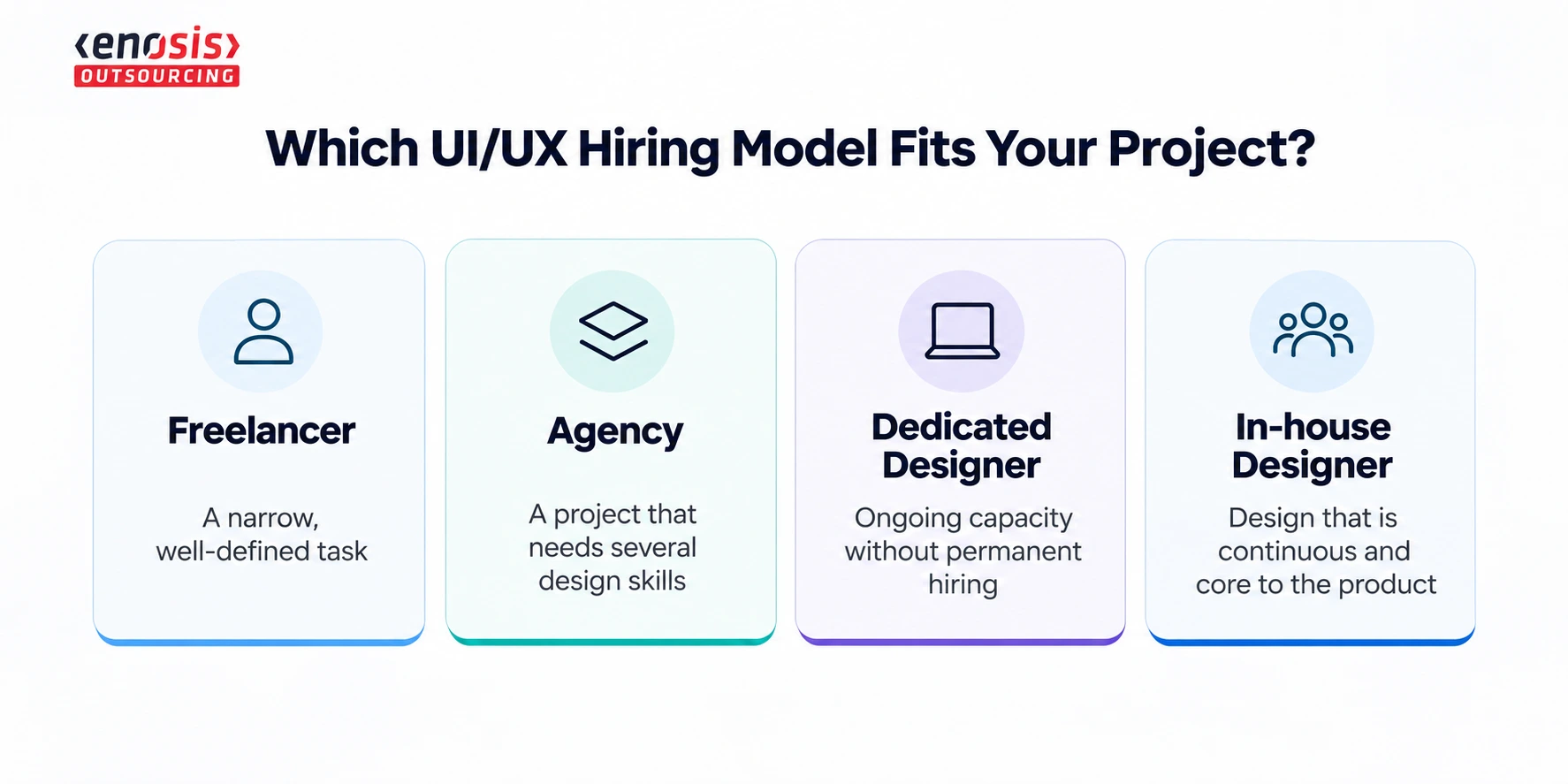
Choose the model by how long the design work lasts and how many skills it needs:
Freelancer: A narrow, well-defined task.
Agency: A project that needs several design skills.
Dedicated designer: Ongoing capacity without permanent hiring.
In-house designer: Design that is continuous and core to the product.
Hiring Model | Cost Structure | Time to Start | Your Management Load |
|---|---|---|---|
In-house designer | Salary + benefits | Slower; recruiting required | High |
Freelancer | Hourly or per task | Usually fast | High; you manage the work |
Agency / outsourced team | Fixed project fee or retainer | Usually fast | Low to medium |
Dedicated designer | Monthly fee per person | Usually fast | Medium; works with your team |
Salary comparison note: The US median annual wage for web and digital interface designers was $104,000 (BLS, May 2025). This figure does not cover every UX role. Employee wages and agency billing rates are not directly comparable.
A common path is to outsource the first version before product-market fit, while scope may still pivot. As design work becomes continuous, an in-house or hybrid team may provide better product continuity. For the broader trade-offs, see in-house vs outsourcing software development and staff augmentation vs project outsourcing.
Looking for a Design Team That Understands the Product?
Explore UI/UX companies with experience turning user needs and product requirements into usable digital experiences.
Find UI/UX TeamsBenefits of Outsourcing UI/UX Development Services
Outsourcing pays off when it gives you speed, skills or flexibility you can't build internally in time. Five benefits matter most.
1. Faster Delivery Through an Established Process
Experienced UI/UX teams arrive with tested workflows, reusable component libraries and style-guide templates. They can move from discovery to a tested, clickable prototype without the recruiting and onboarding time an in-house hire needs.
2. A Full Skill Set Without Hiring Each Role
One in-house designer rarely covers research, information architecture, visual design, usability testing and accessibility. An outsourced team can bring those roles together, depending on the project scope:
UX researchers and usability testers
UI designers
Accessibility specialists who design and test against WCAG 2.2 AA
Front-end developers, when the build is included
3. Flexible Capacity
Scale up for a launch or redesign and scale down afterwards, with no permanent headcount. This also reduces the risk from staff attrition, hiring delays and overstretched internal teams.
4. An Outside Perspective and Cross-Industry Patterns
External designers are not attached to past internal decisions. They may spot friction in legacy dashboards and enterprise workflows that internal teams have stopped noticing. They also bring approaches used in other industries, such as SaaS, e-commerce and healthcare apps.
5. Design and Development in One Flow
When the same partner designs and builds, coordination between designers and developers can reduce handoff gaps. Designers can answer developers' questions directly, and design QA helps catch differences between the approved design and the built interface. A shared design system can also help maintain brand consistency across platforms.
A Real UI/UX Outsourcing Example
In a case study published by Softjourn, Magic Software hired Softjourn to design desktop and mobile interfaces for an application used in legal reporting within the banking and finance sectors.
Magic Software's internal team handled development, while Softjourn created the UI/UX designs. The teams used Figma to share feedback and review progress. Softjourn also delivered design assets and a walkthrough video to support the handoff.
The client praised the communication and delivery process. However, this is a vendor-reported example of collaboration, not independent proof of higher conversions, lower costs, or measurable business growth.
What the Evidence Says About Design Investment
McKinsey (2018): The Business Value of Design study examined 300 publicly listed companies over five years. Top-quartile design performers achieved 32 percentage points higher revenue growth and 56 percentage points higher total returns to shareholders than industry peers.
Nielsen Norman Group (2008): An analysis of 72 usability redesign case studies reported an average 83% improvement across measured business indicators, compared with 135% in an earlier study.
These studies show the potential business value of design and usability improvements. They do not establish that outsourcing itself produces better results than in-house design.
When Should You Outsource UI/UX Design?
Situation | Why Outsourcing Helps |
|---|---|
New product or MVP | Validate flows with a tested prototype before committing to a full build |
Short-term or one-off project | Avoid a full-time hire for work that ends |
Tight deadline | A ready team can start without lengthy recruiting |
Legacy interface redesign | Outside designers may spot friction internal teams no longer see |
Design system creation | Specialists build reusable components that different teams can use |
Accessibility remediation | Specialists help identify and address WCAG 2.2 AA issues |
Scaling an in-house team | Add design capacity during peaks without permanent headcount |
Outsourcing is a weaker fit in three cases:
The product changes daily and needs a designer closely involved in every sprint.
You can't give the vendor sufficient access to users, research or relevant usage data.
No one internally has time to review and approve the work.
How Much Does It Cost to Outsource UI/UX Development?
There is no flat price. Cost depends on scope (screens and user roles), research depth, team seniority and location, and whether front-end development is included.
Cost Factor | Pushes Cost Up When… |
|---|---|
Screens and user roles | There are many roles, permissions or data-heavy dashboards |
Research depth | You add user interviews, several usability rounds or analytics audits |
Design system | You need a full component library, not a few styled screens |
Platforms | Web, iOS and Android each need their own layouts and breakpoints |
Accessibility target | WCAG 2.2 AA testing and remediation are in scope |
Front-end development | The vendor builds the UI, not just designs it |
Team seniority and location | Senior teams in high-cost markets bill higher hourly rates |
Revisions and timeline | Revision rounds are open-ended or the deadline is compressed |
Pricing Models
Hourly (time and materials): For exploratory work.
Fixed scope per milestone: For a defined set of screens.
Monthly retainer or dedicated designer: For ongoing work.
Benchmarks: On the Enosis Outsourcing UI/UX directory, listed company hourly-rate bands range from $15–$24 to $150–$199 per hour (USD). These are provider-listed bands, not verified quotes for individual UI/UX projects.
Illustrative cost example: Suppose a company needs UI designs for a defined set of application screens, with UX research and front-end development handled separately. At an assumed 120 design hours and $50 per hour, the estimated design fee would be $6,000.
This is a hypothetical planning example, not a verified market quote. Usability testing, additional revisions, and front-end development may increase the total if they are not included in the agreed scope.
To get comparable quotes, send every vendor the same scope:
The screens and user roles in scope
Target platforms
The number of revision rounds
The handoff files you expect
Then request a milestone-based estimate from each vendor, specifying whether the price is fixed or based on time and materials. See also software development cost benchmarks.
Looking to Outsource Your IT Projects?
Enosis Outsourcing helps technology leaders scale their teams with expert offshore engineers. Get a free consultation today.
Get a Free ConsultationUI/UX Outsourcing Workflow: Milestones and Developer Handoff
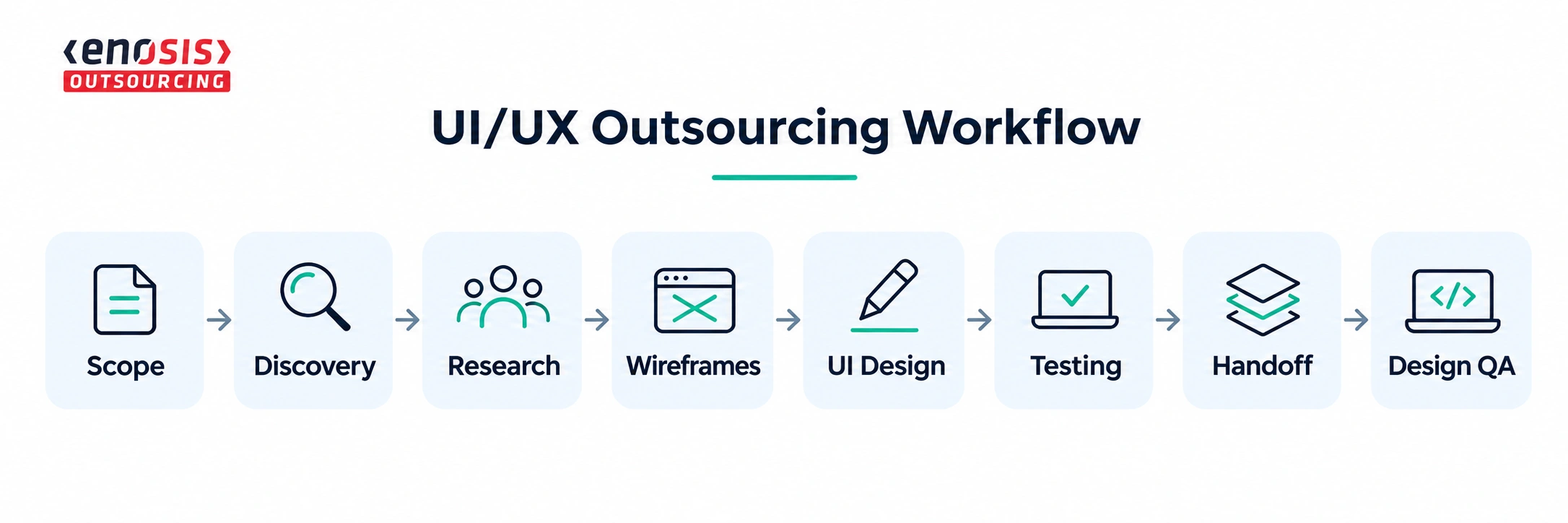
Run the project as milestones, each with a defined output and a sign-off before the next starts. Changes identified during wireframing are generally easier to address than changes discovered after development or launch, when additional coding and testing may be required.
Milestone | Key Deliverable | Approval Required |
|---|---|---|
Scoping | Scope and contract | Agreed requirements |
Discovery | Project goals and user needs | Approved brief |
UX Research | Research findings | Agreed priorities |
Wireframes | User flows and wireframes | Approved layouts |
UI Design | Final screens and prototype | Design approval |
Testing | Usability report and fixes | Critical issues resolved |
Handoff | Design files and specifications | Developers confirm readiness |
Design QA | Review of the built interface | Final design sign-off |
Developer Handoff Checklist
Organized design files (e.g., Figma) in your workspace, with final and archived pages separated
Component library and design tokens (color, type, spacing)
Specs for every state: empty, loading, error, hover, focus, disabled
Layouts for every agreed breakpoint and platform
Interaction and motion notes
Exported assets, with appropriate licensing rights for fonts, icons and images
Accessibility annotations: contrast, focus order, labels, alt text
Final copy and a list of open questions
Risks, IP Ownership and Acceptance Criteria
Common UI/UX outsourcing problems include unclear requirements, weak handoffs, scope changes and uncertainty over ownership. These risks are easier to manage when expectations are established before design work begins.
Risk | How to Reduce It |
|---|---|
Unclear requirements | Define screens, user roles, and tasks. Approve the brief. |
Poor developer handoff | Involve developers early. Require screen states and layout specs. |
Scope creep | Set revision limits and agree on change costs. |
Communication delays | Agree on overlap hours, one channel, and weekly demos. |
Vendor lock-in | Secure file access, ownership, and licensing rights upfront. |
Data and privacy risks | Sign an NDA, limit access, and anonymize data where appropriate. |
IP Terms to Put in the Contract
Define ownership of final designs, editable source files and any custom code included in the project.
Specify when ownership of original deliverables transfers and whether payment conditions apply.
Identify pre-existing vendor components and third-party assets separately, including the rights transferred or licensed to your business.
Agree on access to design files, project workspaces and source assets.
Include confidentiality obligations covering product details and user data.
Clarify whether the vendor may show the work in its portfolio, and when.
Ensure relevant confidentiality, ownership and licensing obligations also apply to subcontractors.
This is general guidance, not legal advice. Have a lawyer review the IP clauses for your jurisdiction.
Acceptance Criteria Examples
Every agreed screen is delivered in all specified states and breakpoints.
The prototype covers each agreed user task end to end.
Usability testing ran with the agreed number of participants, and critical issues are fixed.
Design deliverables document applicable WCAG 2.2 AA requirements, while the implemented interface is tested against the agreed accessibility criteria before acceptance.
Files follow the agreed naming and component structure.
The built UI passes design QA against the approved designs.
For wider vendor risks, see IT outsourcing risks.
Need Help Choosing the Right Outsourcing Partner?
Tell us what you need, and we’ll help you identify companies that fit your project requirements.
Schedule Your Free CallHow to Choose a UI/UX Outsourcing Partner
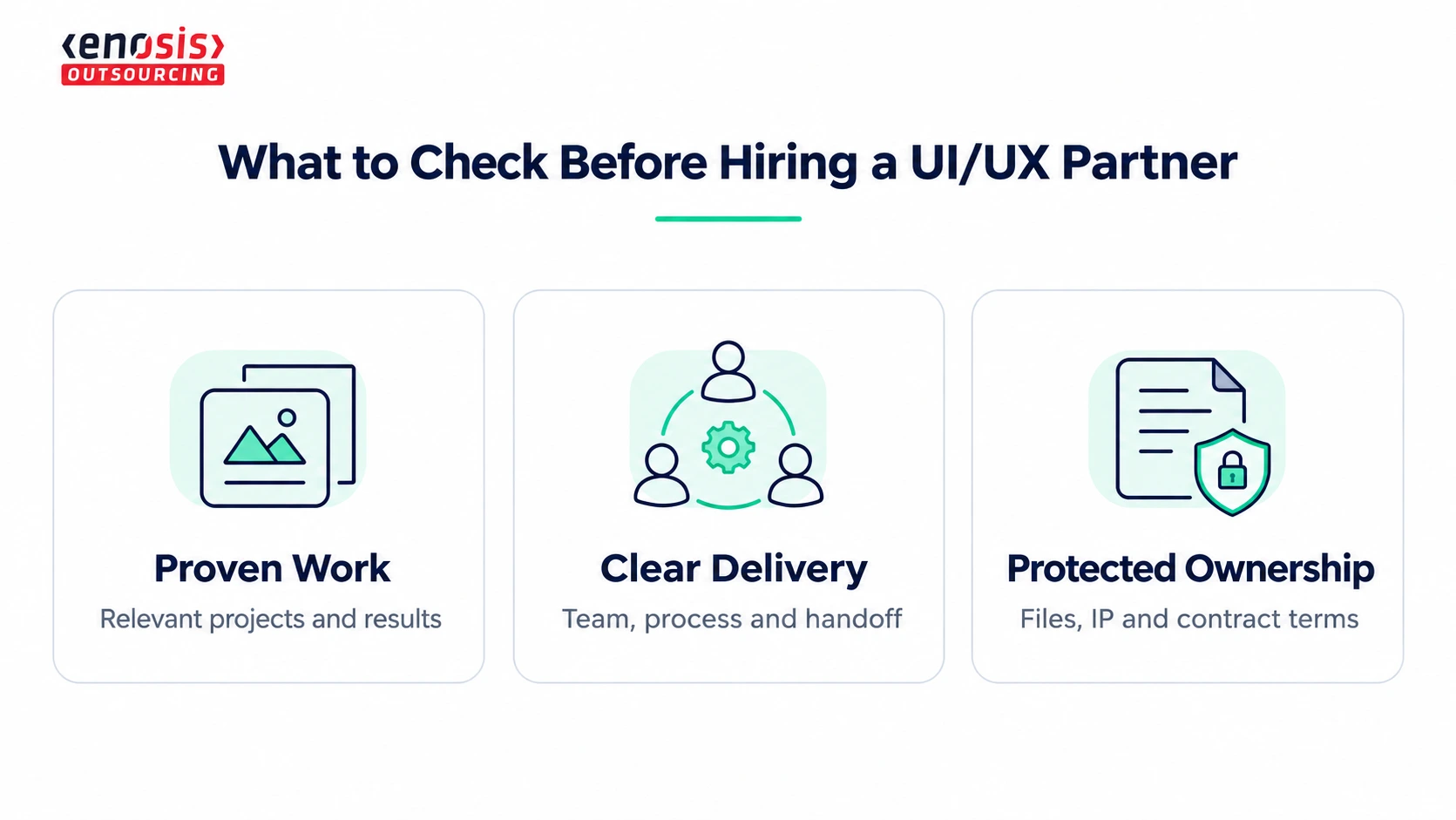
Qualify vendors on evidence of process and handoff quality, not on portfolio visuals alone.
What to Check | Ask For | Red Flag |
|---|---|---|
Relevant experience | Similar projects with clear results | Only attractive screenshots |
Research and testing | Sample research or usability report | No research process |
Design quality and handoff | Component library and handoff files | Missing specifications |
Accessibility | WCAG 2.2 AA review and testing approach | No clear method |
Team and technical skills | Named designers; developer samples if building | Unclear roles or subcontractors |
Communication and references | Project manager, review schedule, client references | No clear process or references |
Contract and ownership | IP rights, source files, revision terms | Unclear ownership or change costs |
Once you choose a partner, run the work through these habits:
One internal product owner who approves work.
One shared channel for day-to-day questions.
A weekly demo of progress.
The design team in your sprint reviews.
To shortlist vendors, filter the Enosis UI/UX design company directory by location, hourly rate, budget and industry. Or book a free consultation for help building a shortlist.
Final Takeaway
Outsourcing UI/UX development services can help you access design skills without building a full in-house team. But a good outcome depends on more than choosing an experienced provider.
Keep control of product decisions, agree on clear deliverables, and protect your design files and IP rights from the start.
Compare UI/UX design companies on Enosis Outsourcing, or talk to our experts for free.