

Vendor Directories
Useful for discovery but may not reflect exact project requirements.
Our Proprietary Rating Framework
Project Capability Score (PCS) transforms a company’s past project experience into measurable insights to help determine whether they are the right fit for your project.
Selection Problem
PCS is a structured evaluation methodology that goes beyond traditional vendor directories and time-consuming manual reviews to compare outsourcing companies more fairly and identify stronger project matches with less effort.
Useful for discovery but may not reflect exact project requirements.

Has a broad and generic view. It is very one-dimensional.
 Best Choice
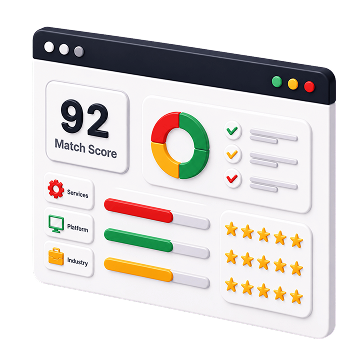
Context driven and based on a company's history and delivery patterns.
PCS Framework
Instead of relying on one broad indicator, PCS looks at a range of inputs together in context. Each signal is considered in relation to the project. This makes the score more useful for real decision making.

How closely a company's previous work aligns with the project you are planning.

Whether the company has delivered similar scope and complexity before.

How strong its experience is in the areas that matter most for your project.

Whether performance appears steady across similar projects.

Whether the company is ready for the scope and growth required for the project.

How well the company matches your domain, technology, and delivery model.
How It Works
After you look at similar projects and companies, PCS helps you see which vendors fit your scope best.
01
Identify service type, technology, industry, scope, and delivery expectations.
02
Compare vendors based on actual projects they have done vs. your needs.
03
Compare PCS of projects that are similar to your requirements.
04
Screen vendors based on company signals, similar projects, and PCS.
Behind the scores
These signals create a fuller view of vendor fit beyond reviews and profile information.
01
Recent projects help indicate what a company is likely to deliver well today.
02
Shows familiarity with tools and technologies relevant to the work.
03
Highlights repeated service strengths across completed engagements.
04
Identifies domain experience where expectations and constraints matter.
05
Indicates whether similar scale and complexity have been handled before.
06
Adds broader context such as experience and total completed projects.

88/100
Note: Illustrative breakdown sample. Actual scoring is based on Enosis Outsourcing’s proprietary evaluation framework.
Score Interpretation
PCS uses a 0–100 scale to measure how strongly a project reflects a company’s relevant experience. A higher score indicates stronger capability for similar work.
Limited Match
This company has little exposure to this type of projects.
Good Match
This company has a fair amount of experience working on similar projects.
Strong Match
This company has extensive experience working on similar projects.
Strong Match
This company has extensive experience working on similar projects.
Good Match
This company has a fair amount of experience working on similar projects.
Limited Match
This company has little exposure to this type of projects.
Example Scenario
A public rating can show that both vendors are credible. PCS helps clarify which one is more aligned with your project requirement.
Software Development

94/100
Key Factors:
Software Development

71/100
Key Factors:
PCS helps buyers cut through surface-level signals and focus on companies that are better aligned with the project ahead.

